- DATE:
- AUTHOR:
- Team LaunchNotes
- RELATED ROADMAP ITEMS:
- Roadmap 1.5: Richer Roadmap Item Editing
Export Any Dashboard Chart to CSV, Plus a Roundup of Polish
This release is headlined by something we've wanted to ship for a while, plus a batch of smaller improvements across Smart Draft, roadmap, subscribers, and feedback.
Export any dashboard chart to CSV
Every chart across all 13 analytics dashboards now has a one-click "Export CSV" option.
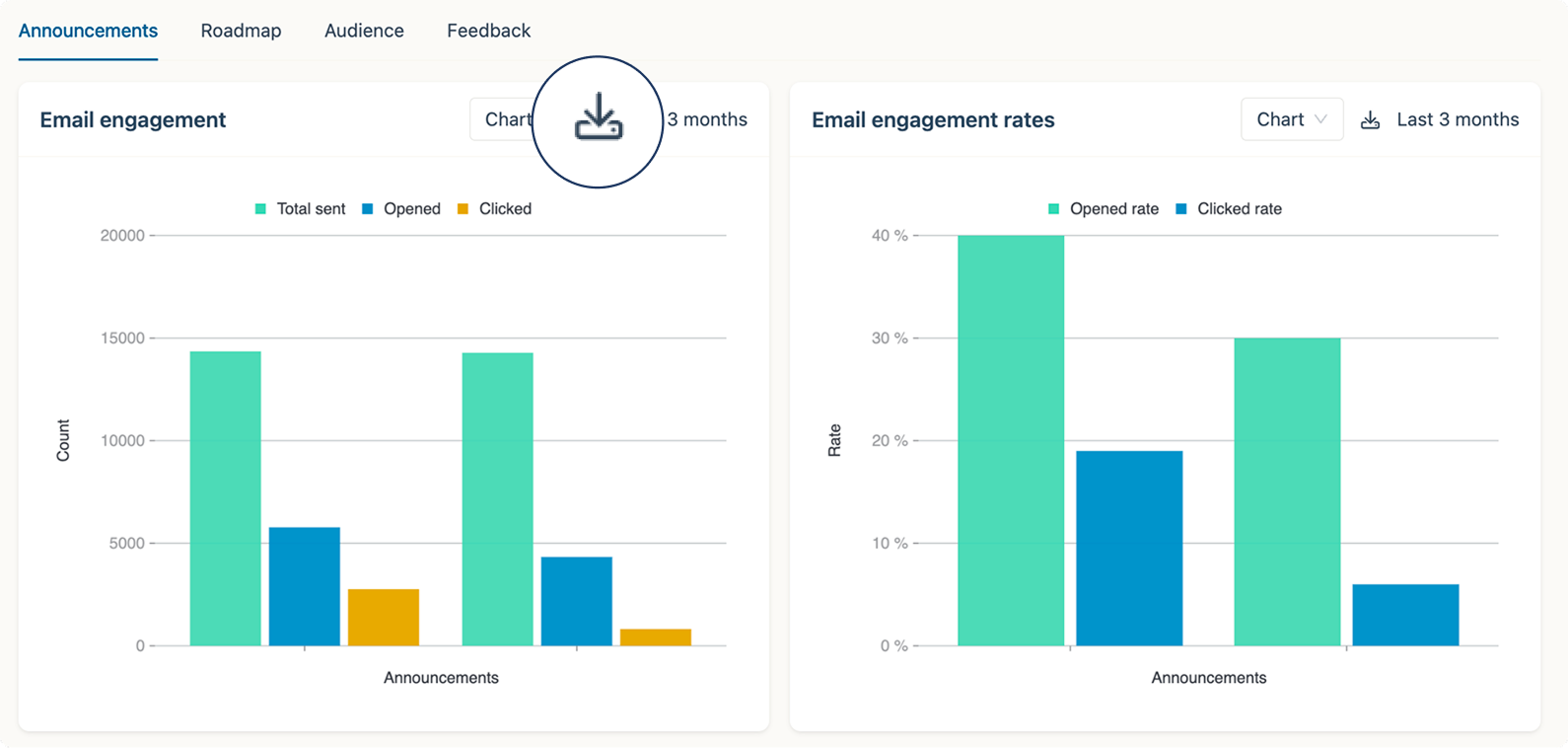
Click "Export CSV" on any chart and you'll get a clean file with the underlying data, ready to drop into a spreadsheet, feed into your favorite analysis tool, or crunch however works best for you.
Confluence links in Smart Draft
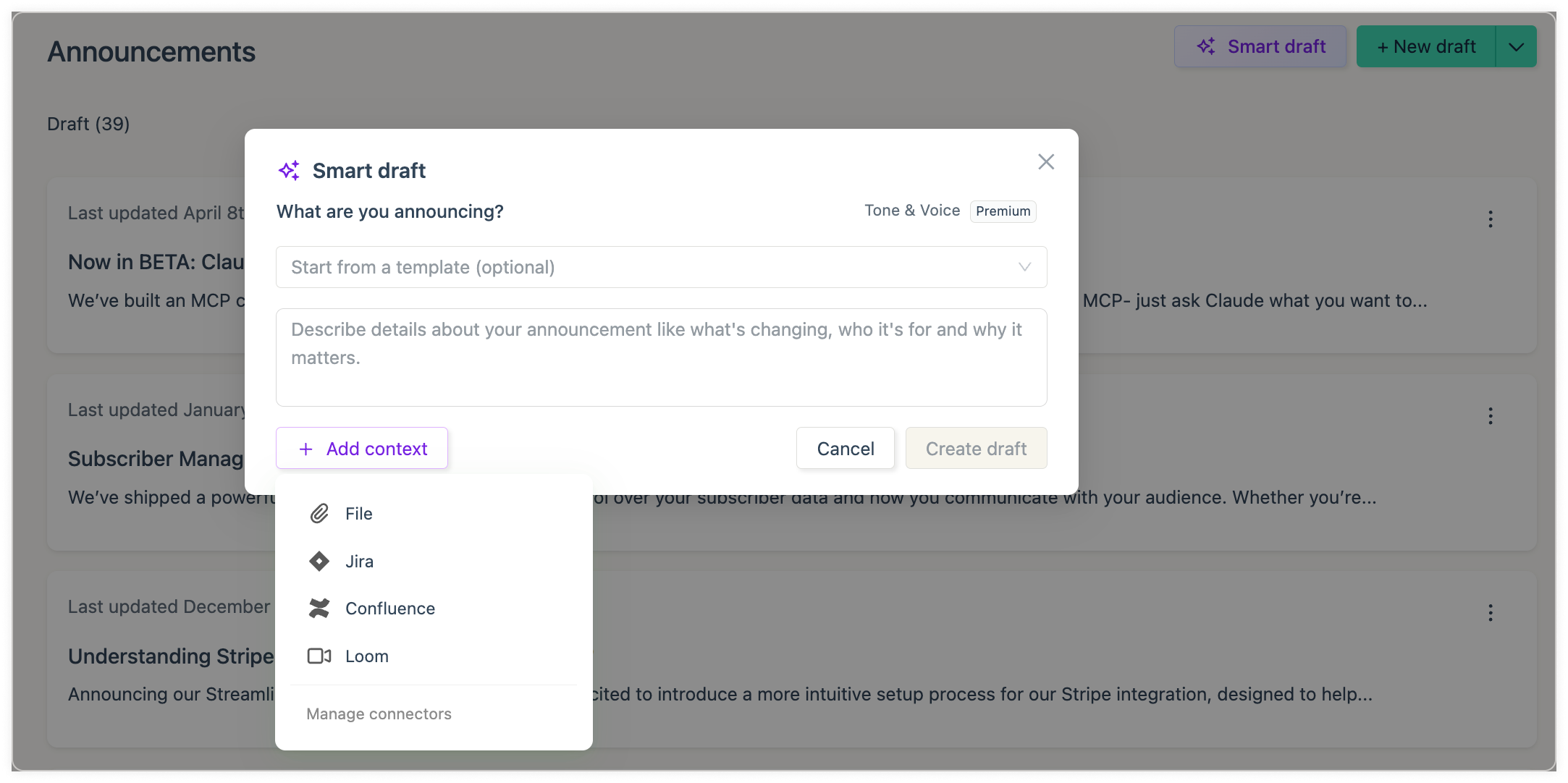
Smart Draft can already pull from Confluence pages. Now you can optionally attach a link back to the source page, right alongside the same control we already offer for Jira to create a draft announcement.
Rolling-out Roadmap 1.5
A cleaner, easier way to view and edit a work item's projected release date is live on roadmap items, and it's the last piece of a longer effort we've been calling Roadmap 1.5.
Combined with recent work on work-item title editing, and hardening around roadmap updates, the roadmap reliability and UX are in a much better place. We also tightened up spacing in the projected-done and categorization sections of the roadmap item detail panel to match the rest of the product.
Everything else in this release
Subscriber tab buttons: Reworked the buttons on the Subscriber/Audience tab for a clearer set of actions
Feedback page refresh: New line separators and an updated CTA button
Cohorts on the subscriber card: The subscriber detail card now shows which cohort(s) a subscriber belongs to, so support and admins can see targeting at a glance
Consistent editor spacing: Standardized spacing for images, media, and bullet/numbered lists in the editor
Let us know what you think?
Thanks to Toast and Cotality for the feedback that shaped a couple of these updates. As always, thoughts, feedback, and reactions are welcome. Hit the feedback button on the left.