- DATE:
- AUTHOR:
- Team LaunchNotes
- RELATED ROADMAP ITEMS:
- Automated Announcement Drafting from Jira

Draft Announcements Directly from Jira
Draft with AI — From Jira is now available to all LaunchNotes Premium and Enterprise customers.
Most announcements start with a blank page. For teams on Jira, filling that blank page means manually pulling tickets, summarizing epics, and stitching it all together into something a customer would actually read.
Draft from Jira meets you where your work already lives—and skips the blank page entirely.
How It Works
From the + New Draft dropdown, select Draft with AI → From Jira. A modal opens with two ways to pull in your work:
Start from a Jira filter — Pick any of your favorited Jira filters. Issues load with a real-time count, and you can refresh to pick up changes without leaving LaunchNotes.
Search for issues — Find tickets or epics by keyword, key, or description.
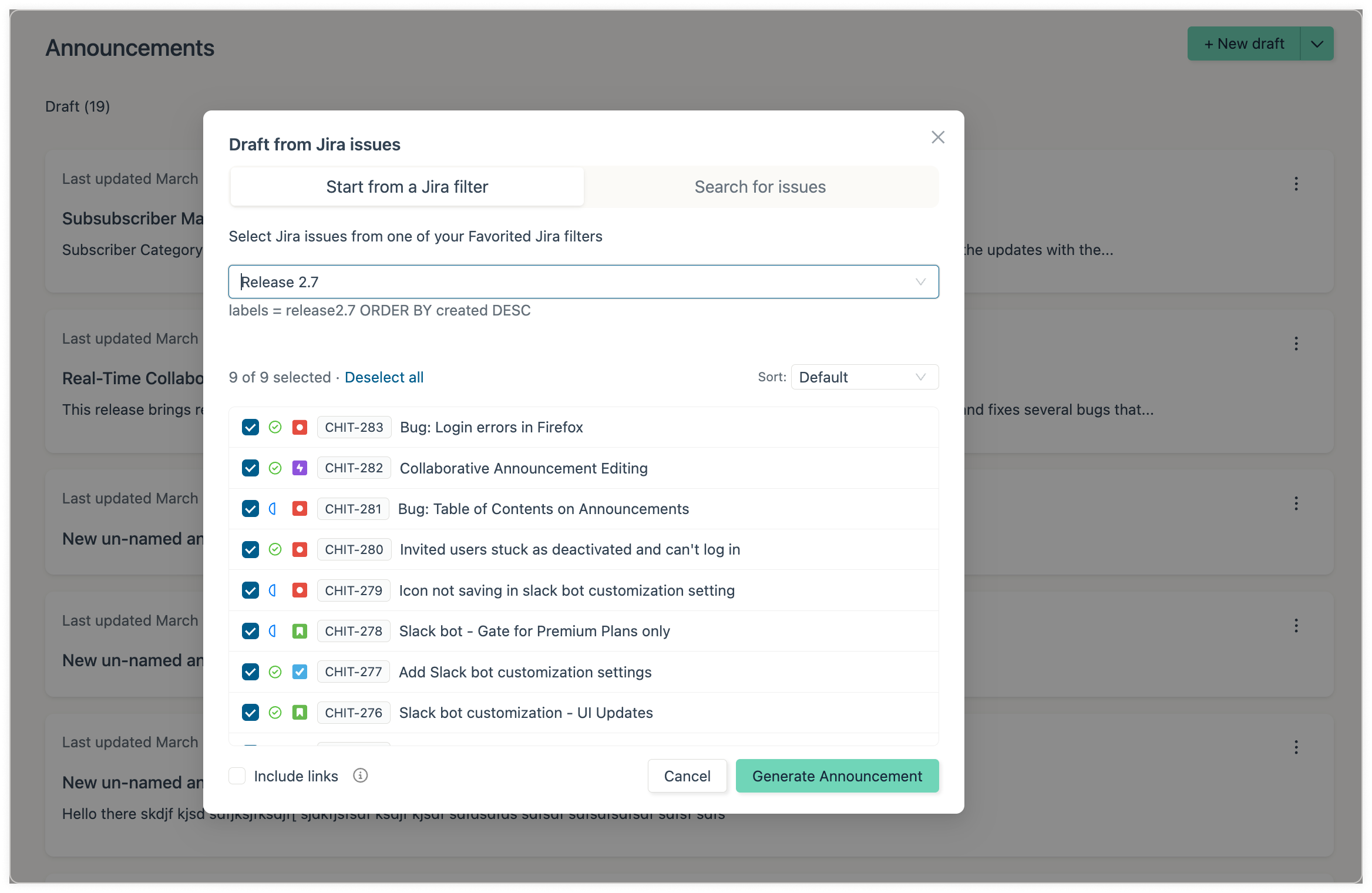
From there:
Check or uncheck individual issues, or select/deselect all.
Click any issue to preview its description, status, and epic.
Toggle Include links to attach the selected Jira tickets as sidebar links on the announcement—useful for internal audiences who want to track back to source.
Hit “Generate Announcement” and get a publish-ready draft in seconds. The draft lands in the editor, ready to refine and publish. The output works for customer-facing announcements and internal release notes alike.
Based on our beta customers’ feedback, we’re confident this is going to save you hours. And we’re just getting started – much more coming soon!
Feedback
Questions? Hit the feedback button on the left—we read everything. Or reach us at support@launchnotes.io.