- DATE:
- AUTHOR:
- Team LaunchNotes
- RELATED ROADMAP ITEMS:
- Announcement Channel Presets for Templates
Templates, Confluence, and the MCP Server
Publishing great product updates consistently is harder than it looks. It’s not usually the writing that slows teams down — it’s everything around it. The wrong channels selected. A tone that drifted because a different person drafted this week’s update. Source material scattered across Jira, Confluence, and a half-dozen other tools. The overhead adds up, and it compounds as teams grow.
This release addresses all three of these pain points.
Key features in this release
Template Channel Controls: Lock announcements to the right channels (Slack, email, in-app, etc.) at the template level so they always go to the correct places automatically.
Confluence in Smart Draft: Pull context straight from any Confluence page into your drafts without leaving LaunchNotes.
MCP Server Enhancements: Connect your roadmap to published announcements so AI agents can stay in sync with what’s actually shipping.
Template channel controls
If you’ve ever published an announcement and realized after the fact that you forgot to add email — or Slack, or both — this one’s for you.
But the bigger story here is for teams managing multiple products under one brand.
When you’re running several workstreams — different PMs, different audiences, different cadences — the risk is in the small operational details getting missed. The wrong channels. An inconsistent structure. A tone that drifted slightly because a different person drafted the announcement this week.
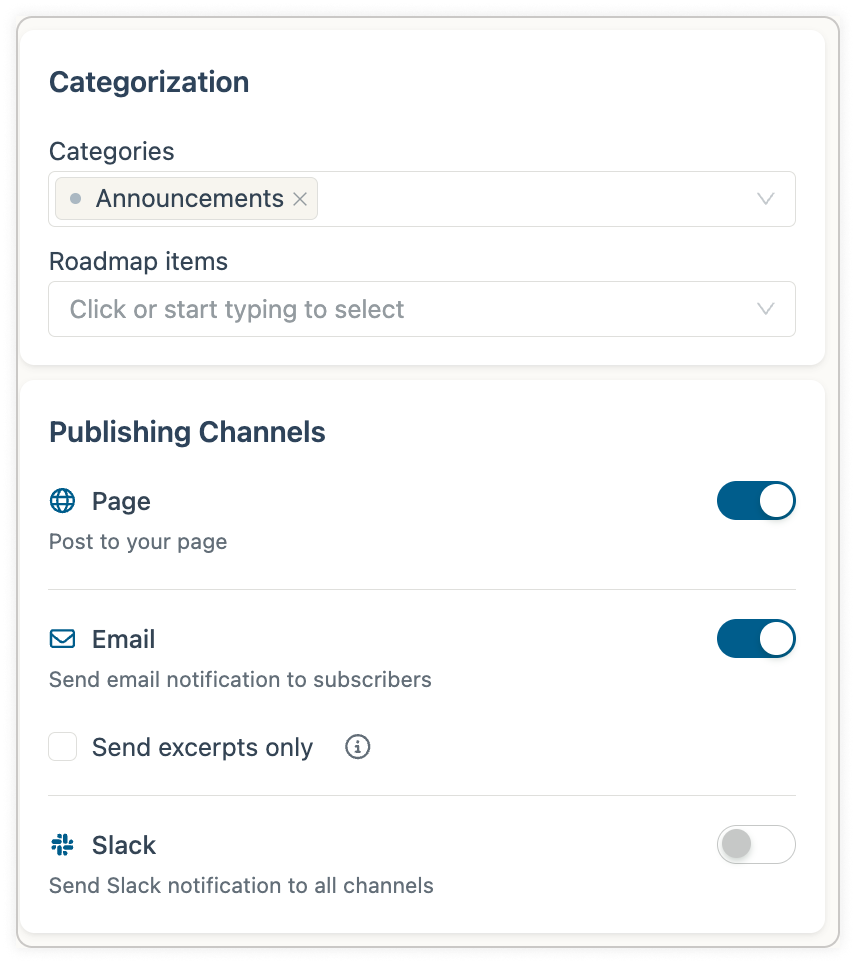
Announcement Templates in LaunchNotes now carry channel settings alongside content structure. Set your publishing channels once inside the template, and every announcement built from it inherits them automatically. The right channels are already selected before you write a single word.
Combined with Tone & Voice in Smart Draft and Collaborative Editing, the three capabilities combined put the full publishing workflow on guardrails, enabling high-volume teams to move fast without the overhead of sourcing material and double-checking every detail.
Confluence in Smart Draft
Smart Draft already pulls from Jira tickets, Loom recordings, uploaded files, and plain text prompts. Starting today, it pulls from Confluence too.
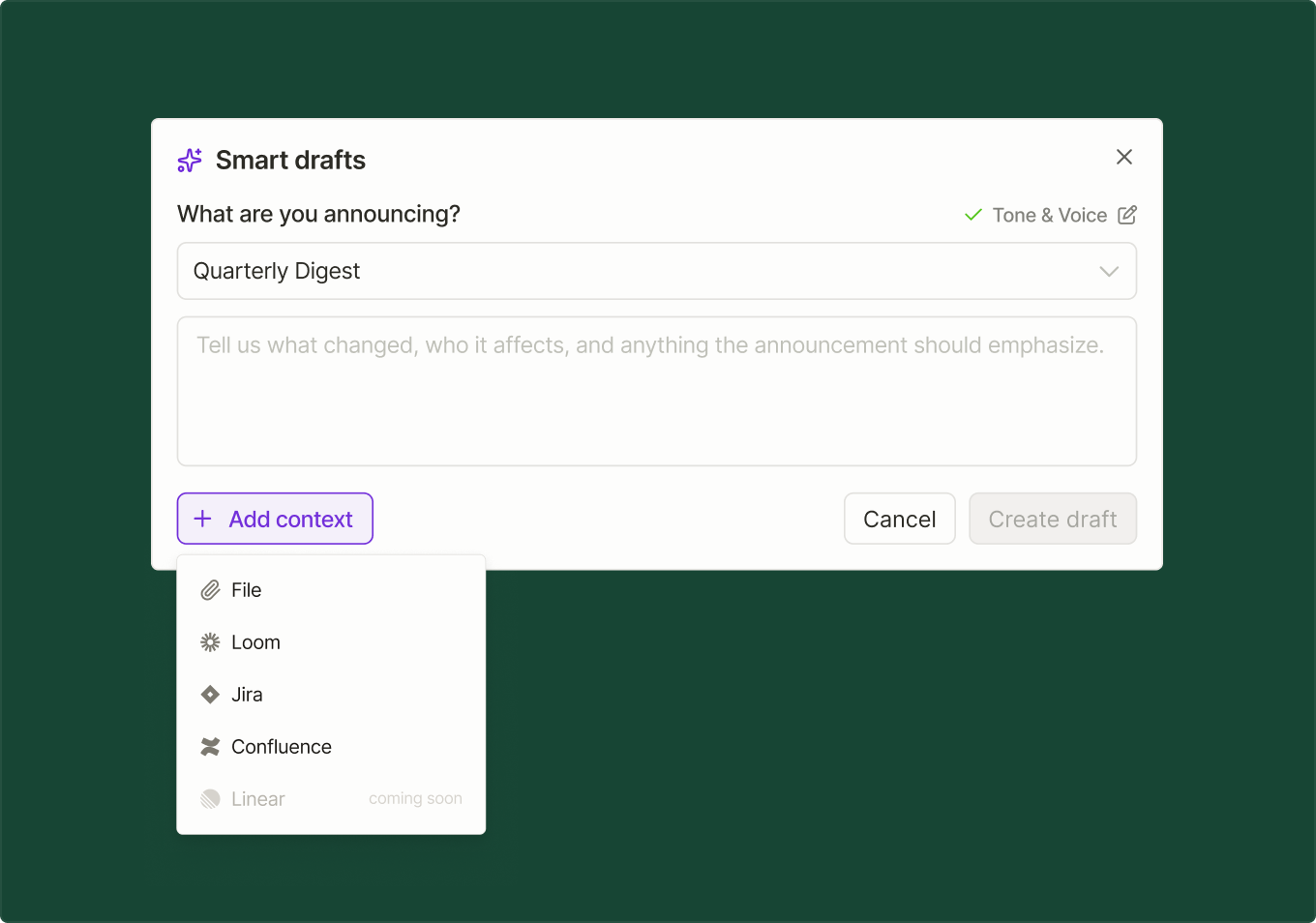
Connect your Confluence instance, point Smart Draft at a page or space, and get a structured announcement draft — same single-step experience, one more place your work already lives.
MCP Server enhancements
The best product communication workflows don’t feel like workflows at all — they feel like just getting things done. Version 0.4.0 of the LaunchNotes MCP server adds a set of new tools designed with that in mind.
Announcement Templates — Agents can now discover and apply your existing templates when drafting announcements.
Supporting Links — Attach blog posts, docs, demo videos, and other resources directly to draft announcements.
Roadmap Integration — List roadmap stages and work items, move items between stages, and create new work items — all from inside your AI conversation.
From a single Claude conversation, you can draft an announcement from a roadmap item using one of your existing templates, attach links to the post, and just publish. That’s the full loop - from roadmap to announcement to publish - without ever leaving your conversation.
If you haven't started using the LaunchNotes MCP, simply follow the instructions on our MCP Quick Start Guide, read our help article, or reachout to us directly at support@launchnotes.io.
Your feedback is encouraged
As always, we appreciate your input — any ideas for what should come next, hit the feedback button on the left.