- DATE:
- AUTHOR:
- Team LaunchNotes
- RELATED ROADMAP ITEMS:
- Page Design Automation

Feature Friday - April 10: Customer Onboarding and Roadmap Enhancements
Recently, we shipped a mix of feature enhancements for future and onboarding customers and some polish on the roadmap everyone will notice and appreciate.
Design automation for new pages
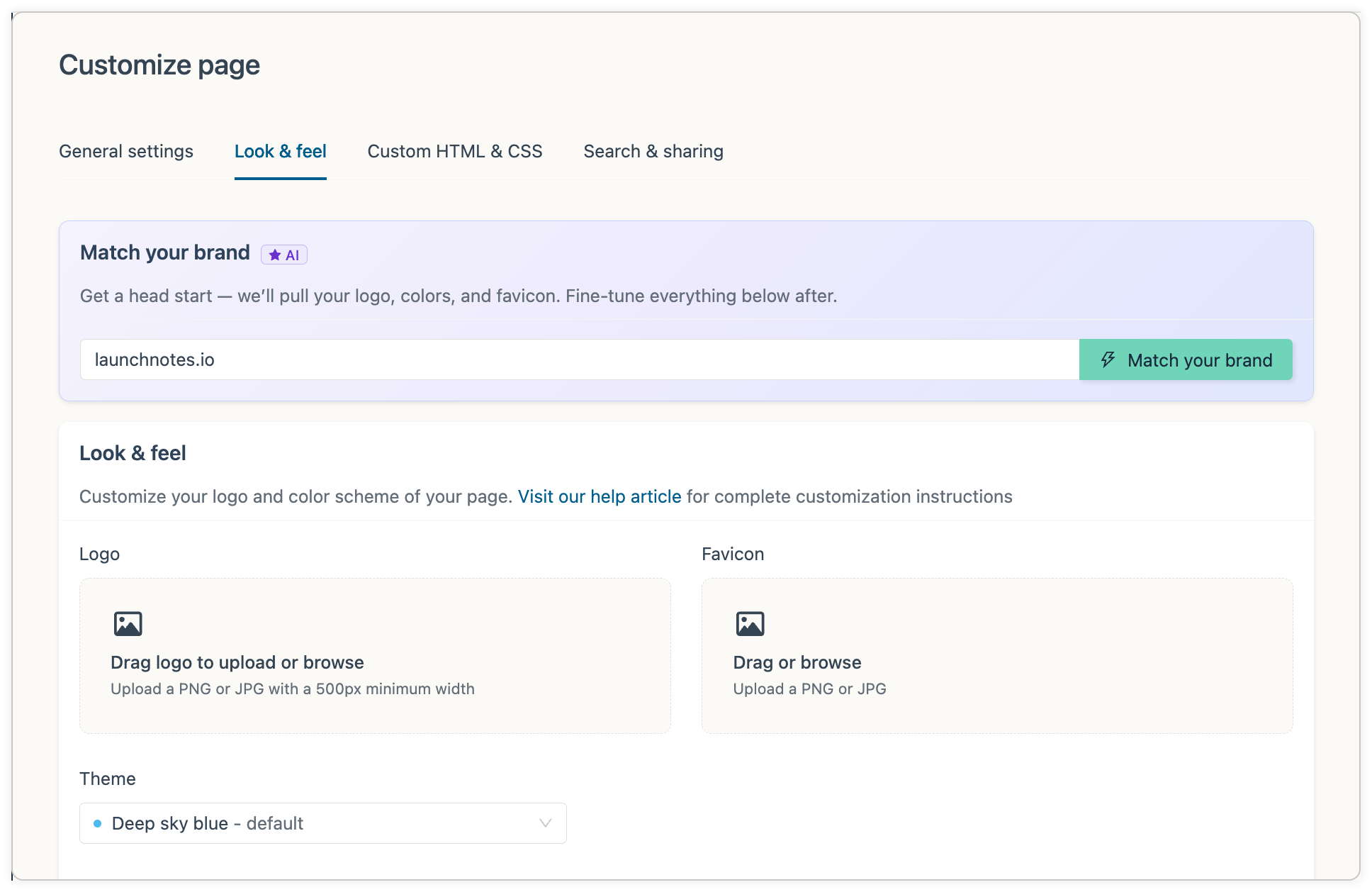
If you’re just setting up a LaunchNotes page for the first time and haven't customized your theme yet, you can now pull your logo, favicon, and brand colors directly from your domain — no digging through brand guidelines or copying hex codes manually. Just enter your domain and LaunchNotes does the work.
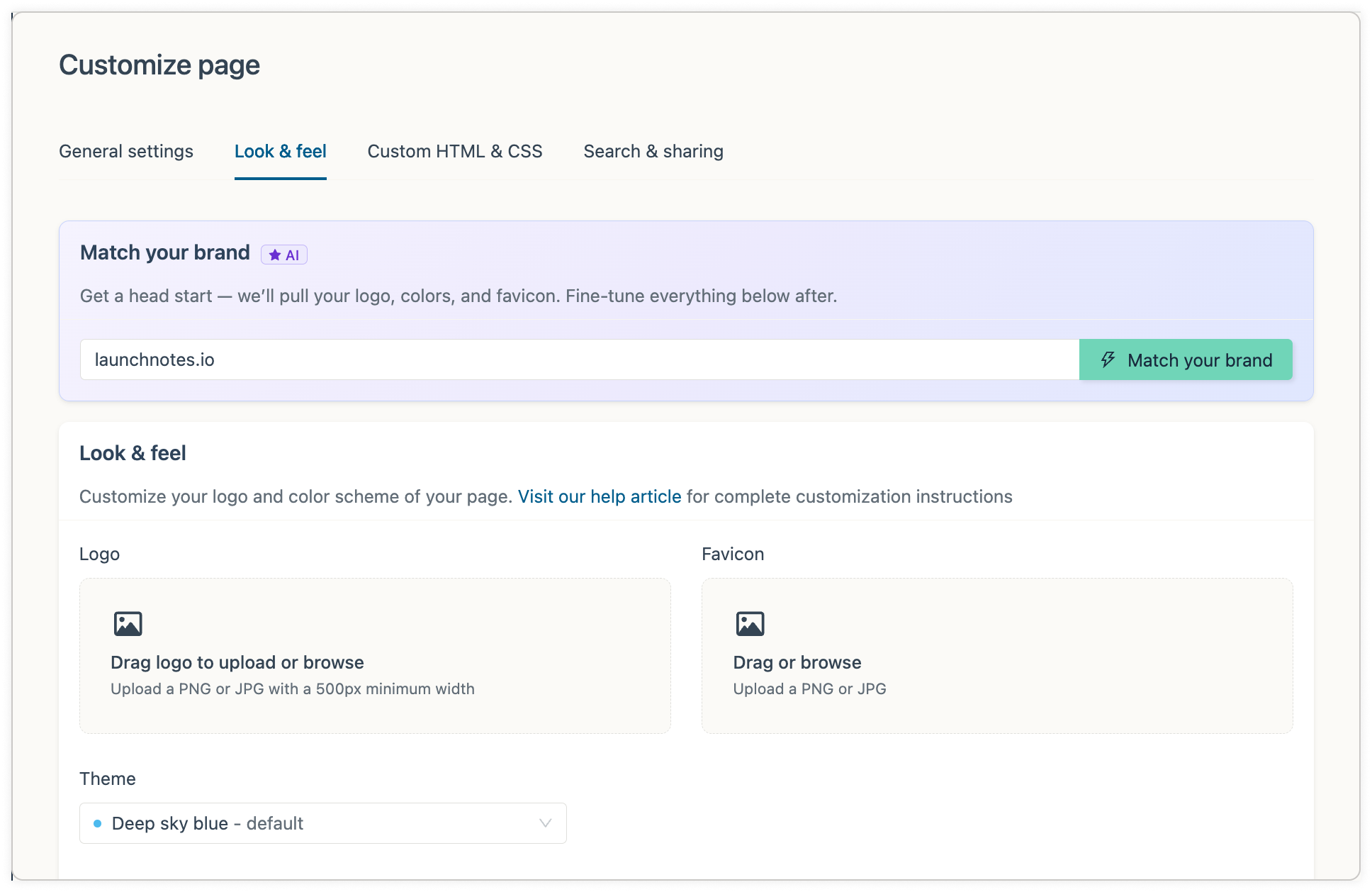
This one came directly from customer experiences and feedback. Getting a page looking on-brand in minutes rather than hours is a real unlock for teams just getting started.
If you already have your page set-up, you won't see this option — nothing changes for you.
Page design: color picker glow-up
We updated our custom color inputs on the Customization page with improved labeling and inline hex values, making it much easier to understand exactly where each color decision lands on a LaunchNotes page.
Roadmap item editor polish
The Roadmap editor now feels a lot more like the Announcement editor - making it more familiar, intuitive, and useful. Specifically:
Auto-save indicator so you're never left guessing.
Reordered sidebar - just like the Announcement editor experience.
Added View Roadmap Item button to quickly preview the edited roadmap item.
+ Add Update to more easily add content and context to a roadmap item timeline.
Drop us a note
As always, these improvements were shaped by feedback from you. If you have thoughts on any of today's updates — or ideas for what's next — drop us a note using the feedback button on the left. Nothing goes unread.